

Windows 11 Crashing at the Login Screen? How I Fixed "KERNEL_MODE_HEAP_CORRUPTION" (Bug Check 0x0000013A) Caused by a Realtek Bluetooth/Wi-Fi Combo Card
Why my HP laptop crashed every time at home but never on the road — and how a Realtek RTL8852BE Wi-Fi/Bluetooth combo card turned out to be the hidden cause
If you've searched for any of these, you're in the right place:
Windows 11 crashes a few seconds after the login screen
Blue screen error 0x0000013a or KERNEL_MODE_HEAP_CORRUPTION
Laptop crashes at home but works fine everywhere else
Realtek RTL8852BE Bluetooth Wi-Fi BSOD
This is a real case study of tracking down exactly this problem on an HP Pavilion 14-eo0522sa, down to the exact driver, the exact registry-level evidence, and the exact fix.
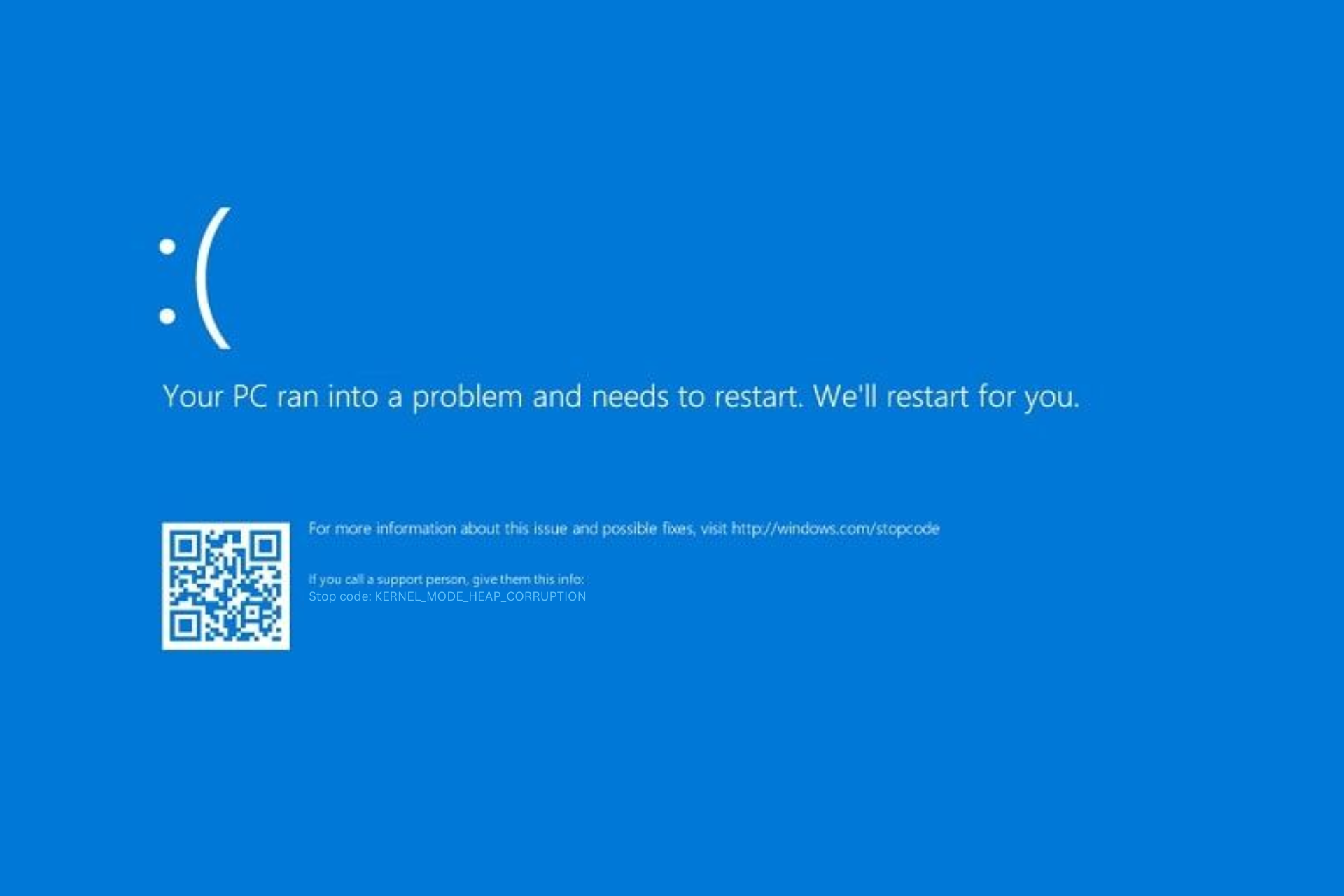
0x0000013a KERNEL_MODE_HEAP_CORRUPTION
The Symptom
The laptop would boot normally, reach the Windows 11 login screen — and then crash within about three seconds, every time, before there was enough time to even click into any settings. The only two ways into the machine were:
Safe Mode, which always worked fine, or
A normal boot away from home, which also worked fine.
That second clue turned out to be the whole case.
The Clue That Cracked It: It Only Crashed at Home
The laptop was rock solid when used away from the property. Bring it home, and it would crash reliably at the login screen. Safe Mode — which loads only a minimal set of Microsoft drivers, skipping third-party ones — never crashed either.
That combination points at something environment-specific that only loads outside of Safe Mode: a piece of hardware or software that behaves differently depending on what's nearby. In this case, it was Bluetooth. At home, a paired Bluetooth headset and a phone linked through Windows' Phone Link app (to an iPhone) were both in range and attempting to reconnect automatically during login. Away from home, or in Safe Mode, none of that reconnect activity happens — and the crash never appeared.
Confirming It With the Crash Dump and Event Viewer
Windows saves a minidump every time it blue-screens (C:\WINDOWS\Minidump\), and it also logs a summary in Event Viewer. Both told the same story.
The bug check:
0x0000013A (0x0000000000000012, 0xffffaa83af100140, 0xffffaa83c1a7e000, 0x0000000000000000)
0x13A = KERNEL_MODE_HEAP_CORRUPTION — Windows' kernel-mode heap manager detected memory corruption.
Parameter 1, 0x12, specifically means: "invalid internal state... consistent with a use-after-free error or a buffer overflow of an adjacent block." In plain English: a driver wrote into memory it shouldn't have, or used memory after it was already freed.
In Event Viewer (Windows Logs → System), two entries confirmed the same crash:
Event ID 41 (Kernel-Power) — logged on the next boot after an unclean shutdown, containing the exact same BugcheckCode (314 in decimal, i.e. 0x13A) and the same parameters.
Event ID 1001 (Microsoft-Windows-WER-SystemErrorReporting) — Windows Error Reporting's own record, pointing to the saved .dmp file.
The identical bug check with the identical Parameter 1 value showed up three separate times across several months — not a one-off fluke, but a recurring, reproducible fault.
Looking at the loaded driver list embedded in the crash dump confirmed which hardware stack was active at the moment of the crash: the full Realtek Bluetooth driver set — RtkBtFilter2.sys, BthA2dp.sys (Bluetooth audio), BthHfAud.sys (hands-free audio), and the Wi-Fi/Bluetooth combo drivers.
The Culprit: The Realtek RTL8852BE Wi-Fi + Bluetooth Combo Card
The laptop's wireless hardware is a single physical module that handles both Wi-Fi and Bluetooth:
Realtek RTL8852BE 802.11ax (Wi-Fi 6) PCIe Bluetooth Combo Adapter
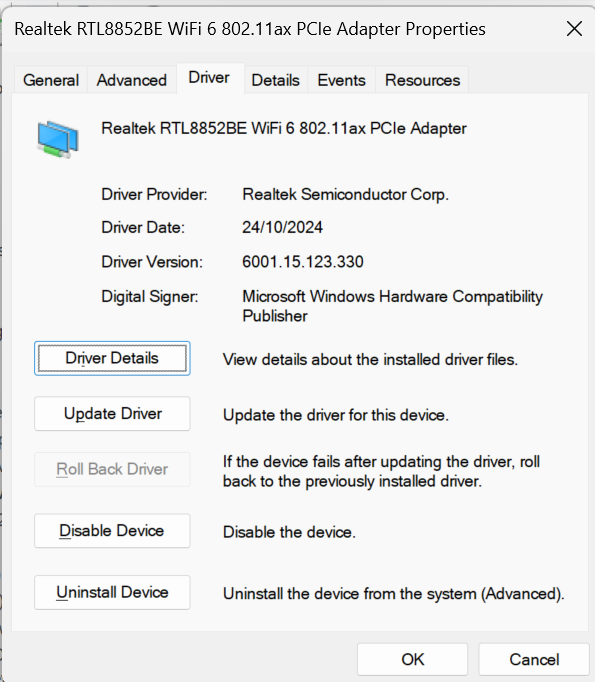
Realtek RTL8852BE Dual Bluetooth and Wifi 6 802.11ax PCI Adapter Windows BSOD
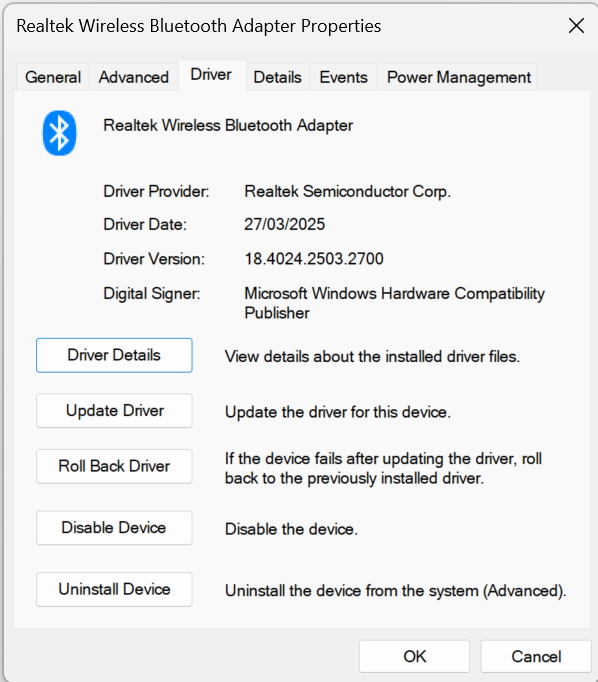
Realtek Wireless Bluetooth Adapter BSOD
Because it's a combo chip, Wi-Fi and Bluetooth share the same underlying driver and firmware package — a bug in one can affect the other, and a driver update needs to cover both together. This exact chipset (and its close siblings, the RTL8851BE and RTL8852CE) has a well-documented history of causing Windows blue screens, including 0x13A, 0xD1, 0xE6, and 0x7E bug checks, widely reported by HP, Dell, and Lenovo users on official support forums and Microsoft's own Q&A community. HP has released multiple driver revisions specifically to address BSODs tied to this card.
In this case, the driver installed was version 18.4024.2503.2700, dated March 2025 — over a year old by the time the crashes escalated.
The Fix: Clean Removal and Reinstall
Rather than just installing an update over the top of a driver that had already caused repeated kernel heap corruption, the safer approach is a full clean removal first. Here's the process:
1. Unpair every Bluetooth device and unlink Phone Link
Before touching any drivers, remove the paired devices while the radio is still working normally:
Settings → Bluetooth & devices → remove the headset (and any other paired Bluetooth device)
Phone Link app → Settings → disconnect/unlink the iPhone
2. Uninstall the drivers completely in Device Manager
In Device Manager, uninstall both halves of the combo card:
Under Network adapters: the Realtek RTL8852BE Wi-Fi adapter
Under Bluetooth (or Universal Serial Bus controllers, where it sometimes hides): the Realtek Wireless Bluetooth Adapter
For each one, right-click → Uninstall device, and tick "Attempt to remove the driver for this device" before confirming.
3. Clear the driver store (optional but thorough)
To make sure no old, potentially corrupted driver package gets reused automatically, open an elevated Command Prompt and run:
pnputil /enum-driversFind the Realtek Wi-Fi/Bluetooth entries (oem##.inf), then remove them:
pnputil /delete-driver oem##.inf /uninstall /force4. Get the latest driver — and BIOS — from the manufacturer
Go to the manufacturer's support site (in this case, Realtek or check the laptop manufacturer HP), search by the exact model and serial number, and download the current combined Wi-Fi/Bluetooth driver package — not a generic Realtek download, and not Windows Update's default. OEM installer packages often apply firmware updates alongside the driver that a manual install skips. It's also worth checking for a BIOS update at the same time, since several similar cases weren't fully resolved until the BIOS was updated too.
5. Reinstall and re-pair devices one at a time
After installing the new driver package and rebooting, re-pair devices individually — headset first, test a normal boot, then Phone Link, test again — rather than restoring everything at once. That way, if a crash does return, it's immediately clear which device triggered it.
Case Study Summary
DetailValueLaptopHP Pavilion 14-eo0522saWireless hardwareRealtek RTL8852BE 802.11ax (Wi-Fi 6) PCIe Bluetooth Combo AdapterBug check0x0000013A — KERNEL_MODE_HEAP_CORRUPTIONBug check parameter 10x12 (use-after-free / buffer overflow signature)SymptomCrash ~3 seconds after login screen, only at home, not away, not in Safe ModeDriver version at time of fault18.4024.2503.2700 (dated March 2025)RecurrenceConfirmed identical bug check across three separate incidents over several months
Key Takeaways
If your Windows 11 machine is blue-screening with KERNEL_MODE_HEAP_CORRUPTION (0x13A) and it seems to happen only in certain locations, it's worth asking: what Bluetooth or Wi-Fi devices are nearby that aren't nearby elsewhere? A combo Wi-Fi/Bluetooth card attempting to reconnect to a paired device — a headset, a phone, a smartwatch — right at the login screen is a common and often-overlooked trigger, especially on Realtek RTL8852-series hardware. Pull the crash dump, check Event Viewer for the matching Event ID 41 or 1001, and check the loaded driver list before assuming it's a Windows fault rather than a driver one.
Frequently Asked Questions
What does bug check 0x13A / KERNEL_MODE_HEAP_CORRUPTION mean? It means Windows' kernel-mode heap manager detected that memory had been corrupted — usually by a driver writing outside its allocated buffer or using memory after freeing it. It is almost always caused by a third-party driver, not Windows itself.
Why would a laptop only crash at home and not elsewhere? If the trigger is a Bluetooth or Wi-Fi reconnect event, it will only happen where the previously paired devices (headset, phone, router) are actually in range.
Is the Realtek RTL8852BE a known problem chip? Yes — this chipset and its close relatives (RTL8851BE, RTL8852CE) have a documented history of BSOD reports across HP, Dell, and Lenovo laptops, with manufacturers releasing multiple driver revisions specifically to address crashes.
Do I need to remove Bluetooth devices before reinstalling drivers? It's not strictly required, but it removes one more variable and ensures you're testing a genuinely clean state rather than reconnecting to a device using cached pairing data from the faulty driver.